Dated for 2027
2027 digital planner for GoodNotes and iPad
Every page dated for 2027: twelve months from January to December, every week and all 365 days, hyperlinked so a tap on a date opens that day. Choose a Monday or Sunday start, landscape or portrait, and write in it in GoodNotes or any PDF app.
- January – December 2027
- Monday or Sunday start
- Every day, week and month
- Hyperlinked PDF
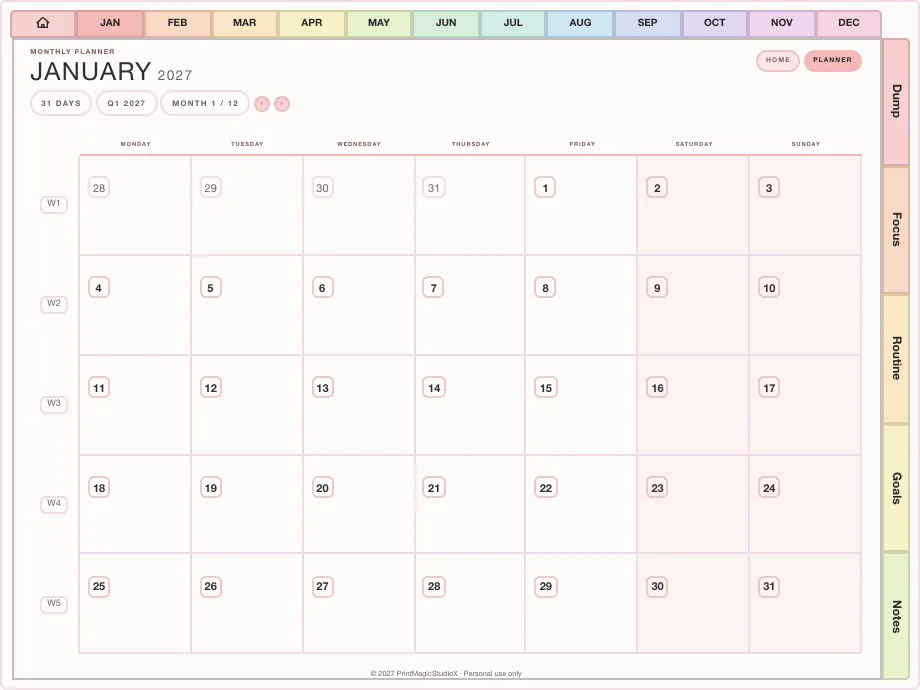
2027 starts on a friday ✿
Ready-made
2027 planners, ready to build and download
Each of the five planners sold here builds dated for 2027, in the theme, language and way round you choose, with a Monday or Sunday start. The Ultimate Study Planner runs July 2026 to December 2027, both starts included.
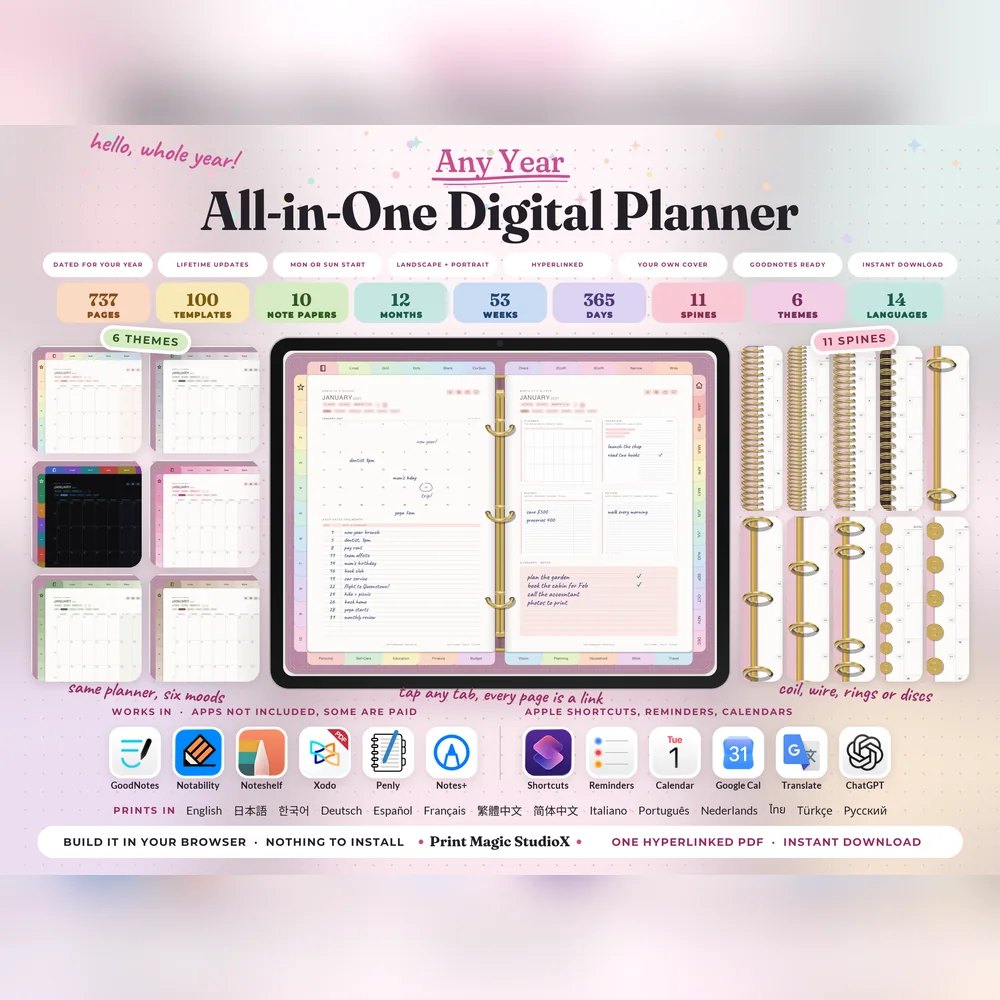
All-in-One Digital Planner
US$9.99US$7.99749 hyperlinked pages, 100 templates in ten categories, six themes and eleven spines. Build it after checkout, and every year's edition after that.
Built your wayDated 2027100 templates14 languages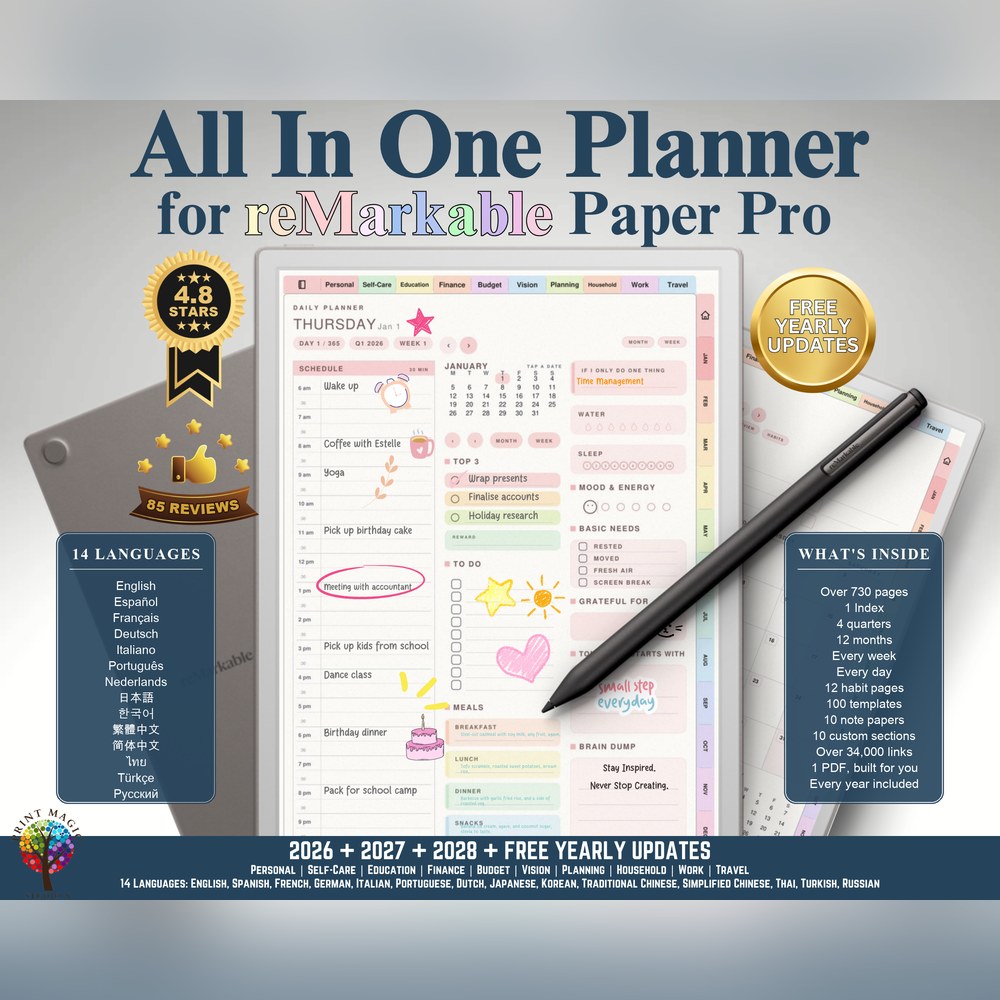
All-in-One Planner for reMarkable Paper Pro
US$9.99US$7.99The All-in-One drawn for the reMarkable Paper Pro: right or left handed, with room for the device's toolbar.
Built your wayDated 2027reMarkable Paper ProRight or left handed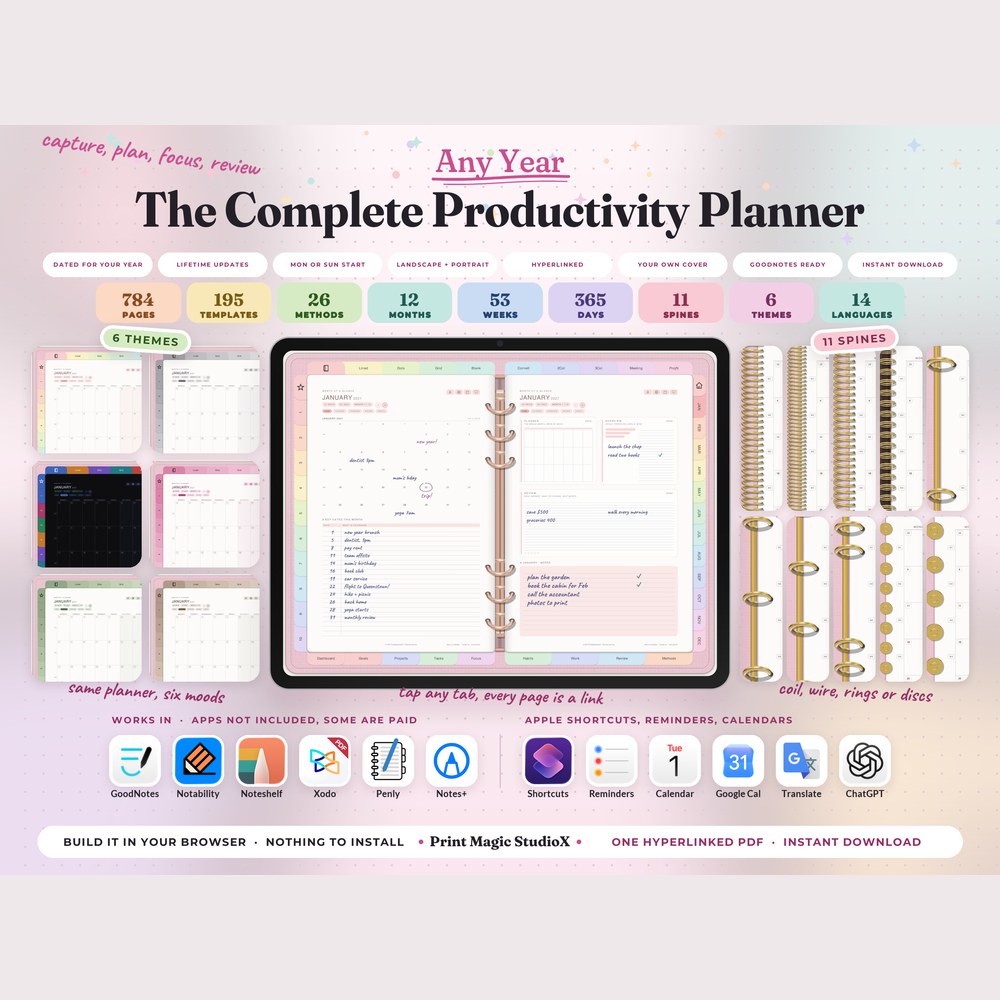
The Complete Productivity Planner
US$9.99US$7.99784 pages run as capture, organise, prioritise, plan, focus, execute, track and review: 195 templates in nine tabs, and 26 productivity methods a page each.
Built your wayDated 2027195 templates26 methods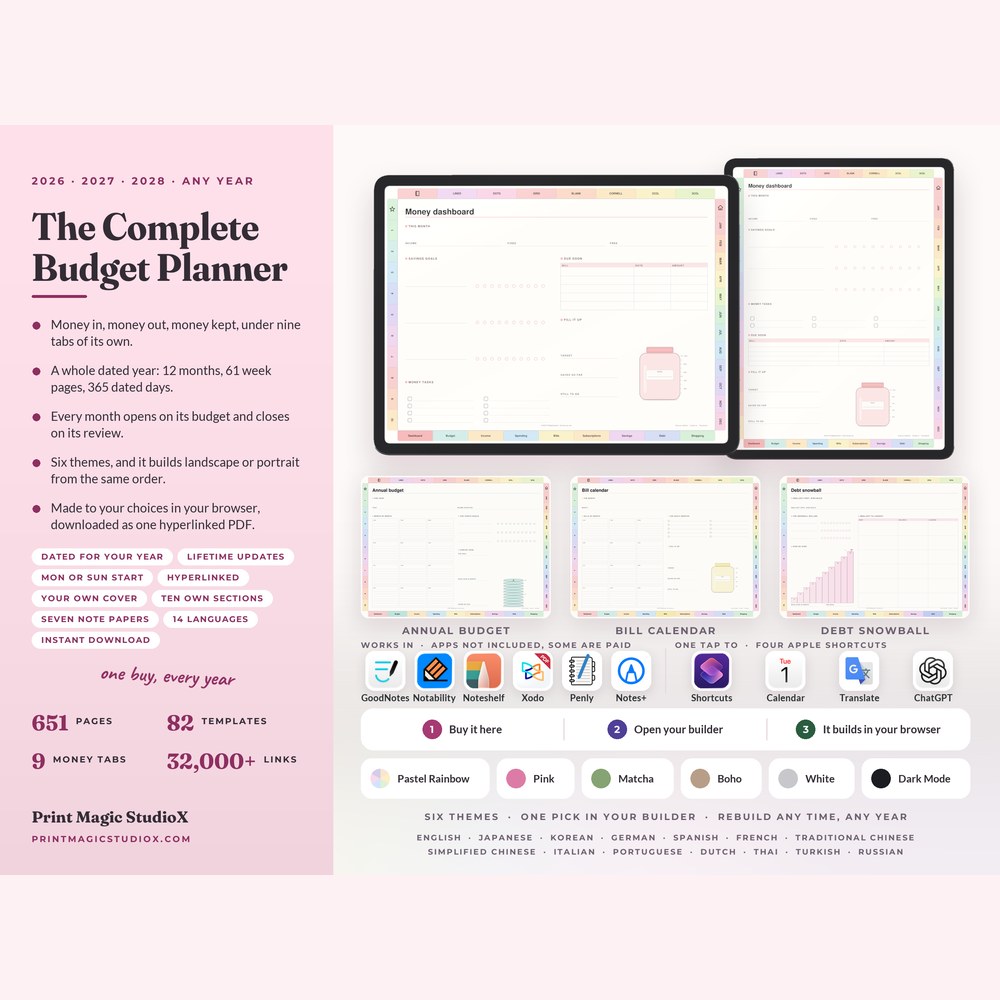
The Complete Budget Planner
US$9.99US$7.99651 pages with a budget and a review behind every month, and 82 money templates in nine tabs: pay logs, bills, sinking funds and debt payoff.
Built your wayDated 202782 templates9 money tabs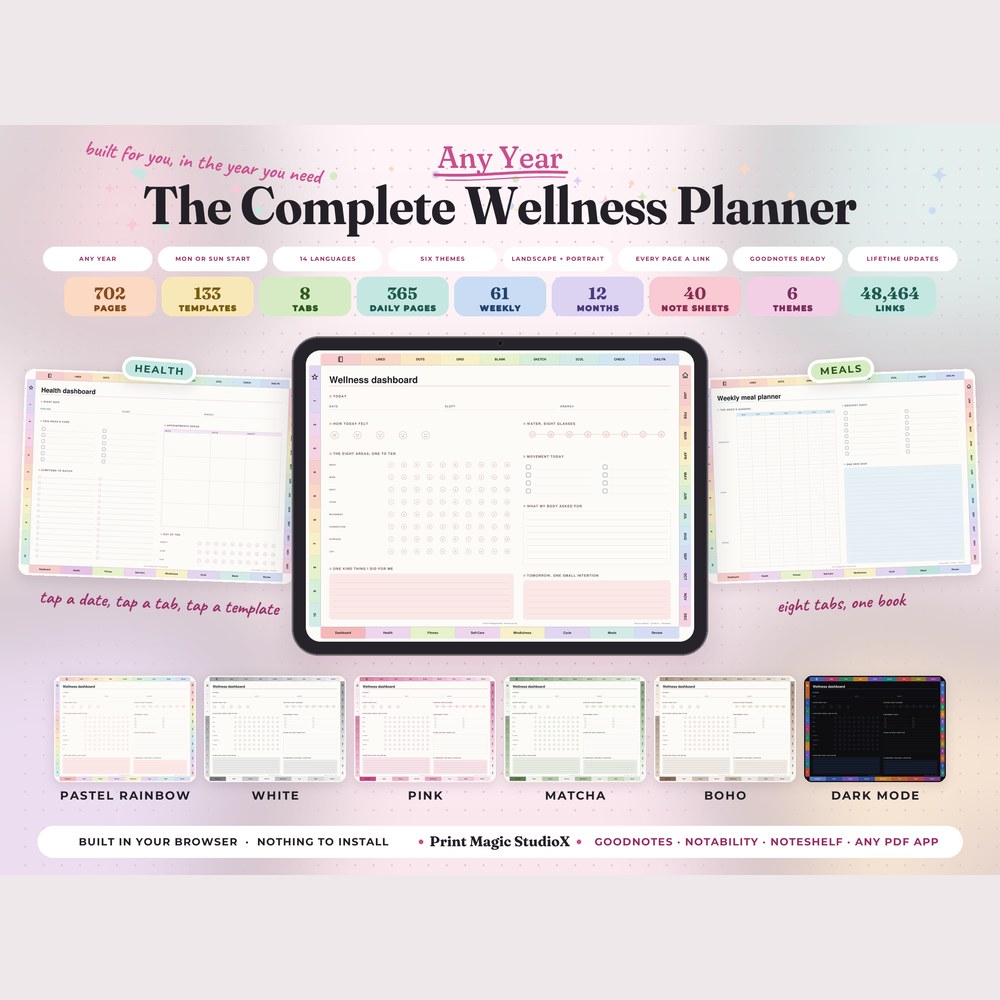
The Complete Wellness Planner
US$9.99US$7.99702 pages and 133 wellness templates in eight tabs: health, fitness, self-care, mindfulness, cycle and sleep, meals and a monthly review.
Built your wayDated 2027133 templates8 tabs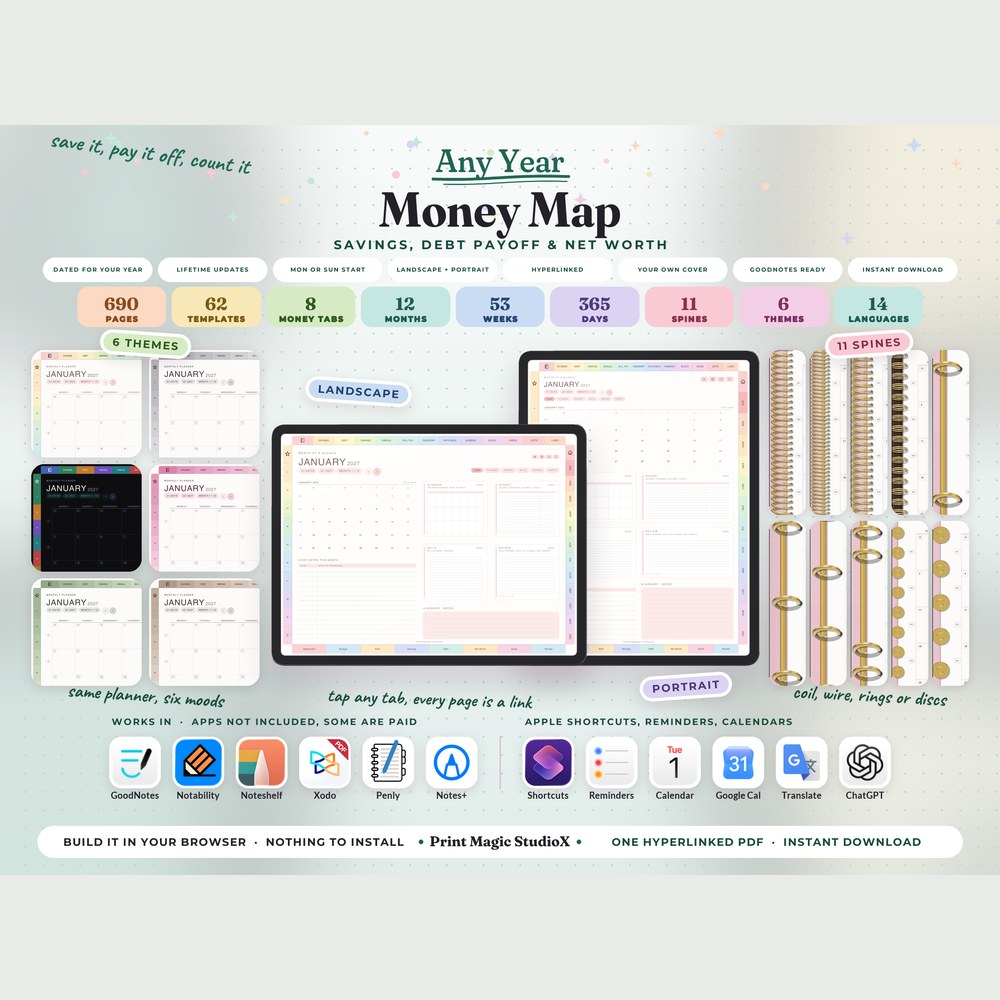
Money Map
US$9.99US$7.99Savings, debt payoff & net worth · Any year · 62 templates · 14 languages
Built your wayDated 202714 languages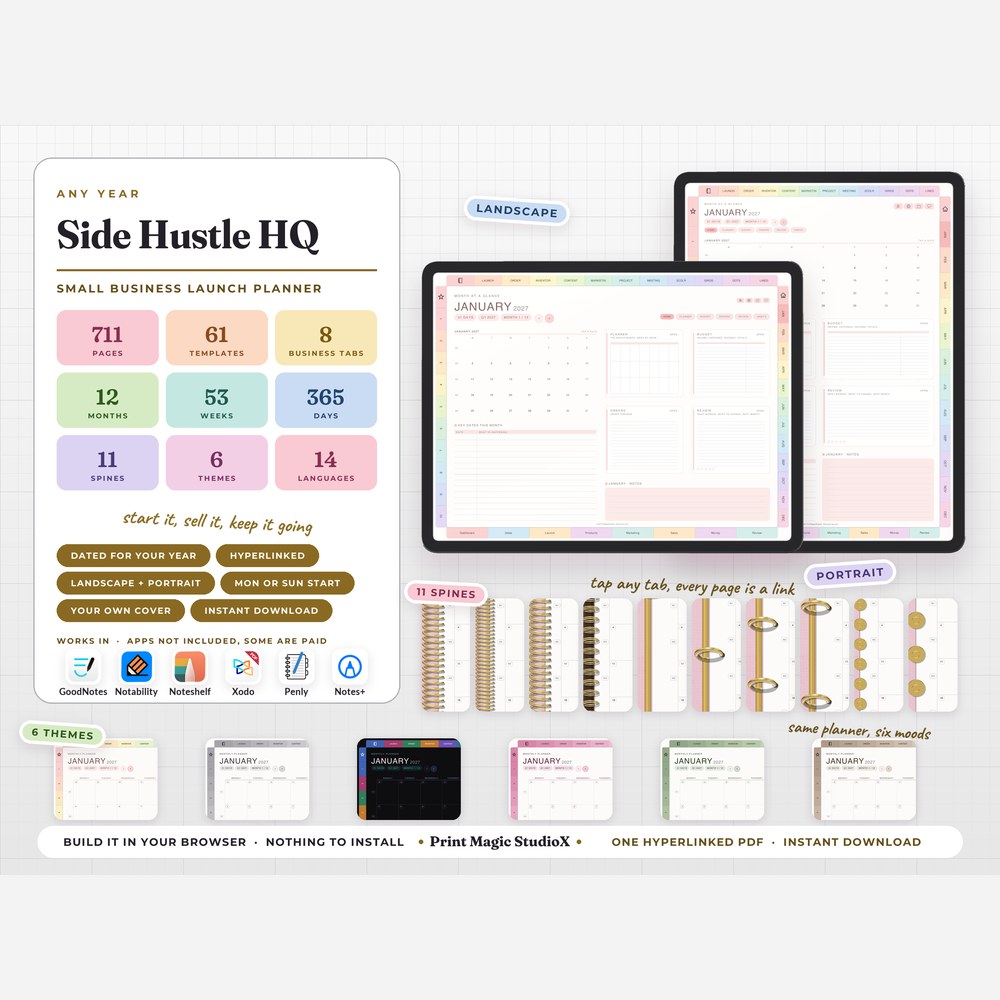
Side Hustle HQ
US$9.99US$7.99Small business, around a job · Any year · 61 templates · 14 languages
Built your wayDated 202714 languages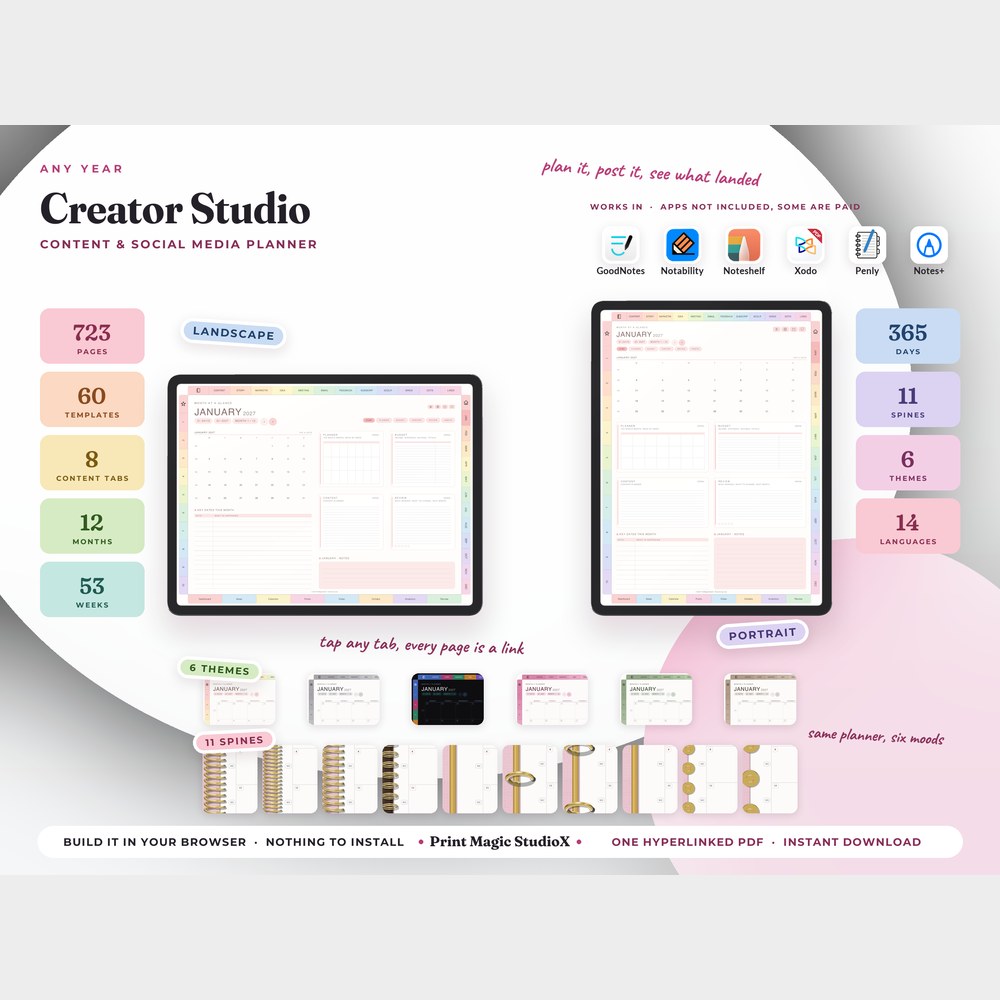
Creator Studio
US$9.99US$7.99Content & social media · Any year · 60 templates · 14 languages
Built your wayDated 202714 languages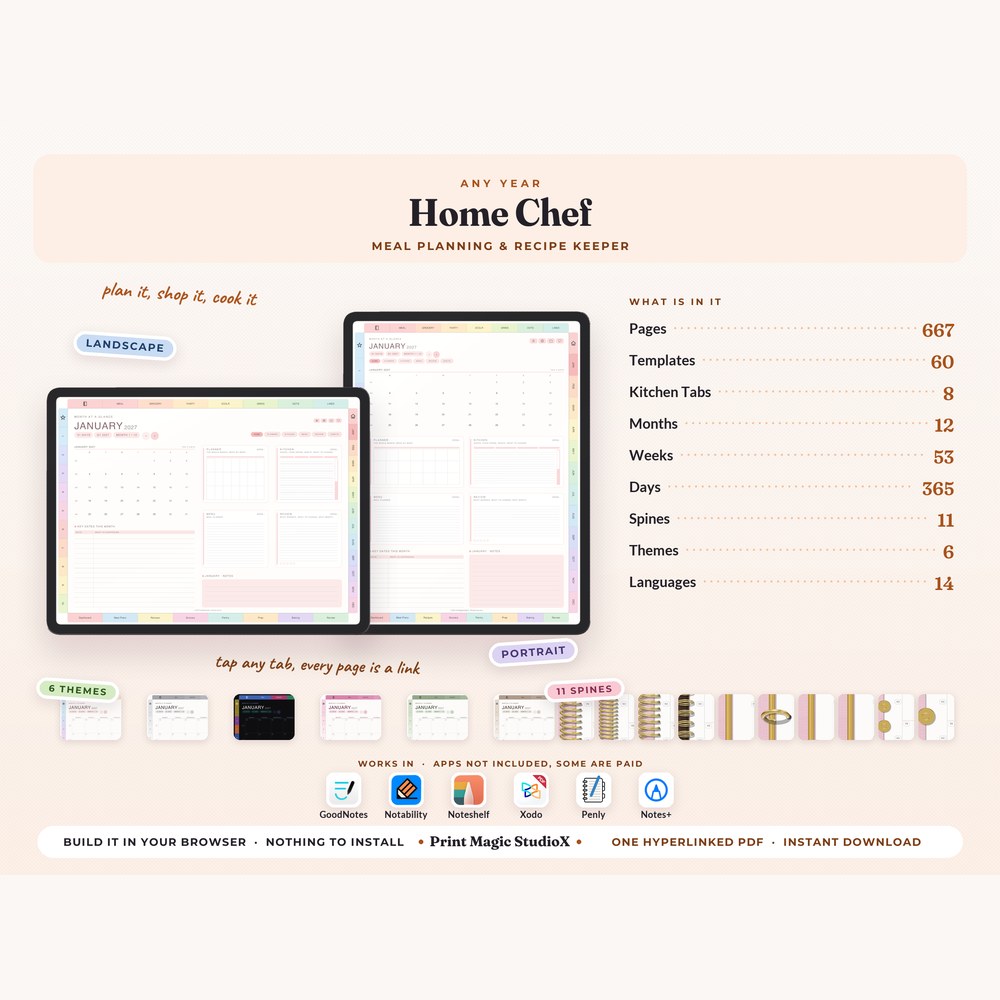
Home Chef
US$9.99US$7.99Meal plans, recipes & groceries · Any year · 60 templates · 14 languages
Built your wayDated 202714 languages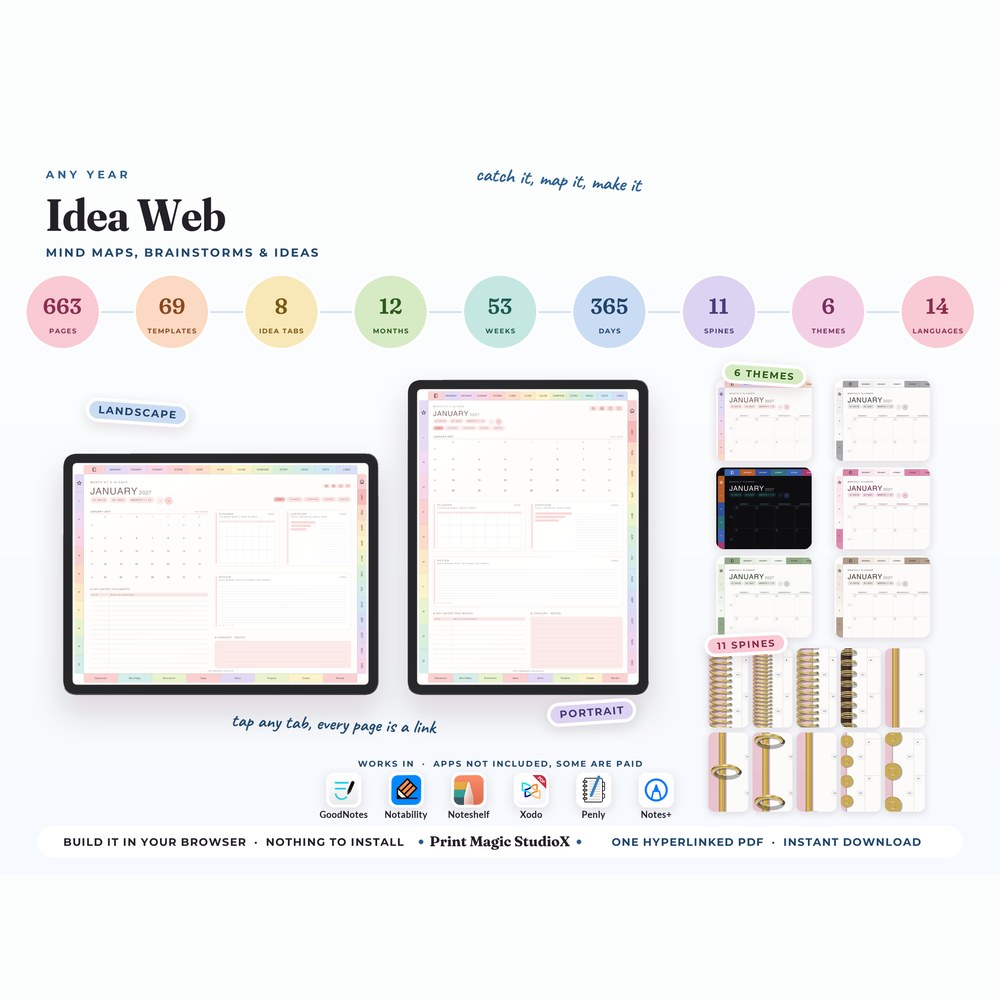
Idea Web
US$9.99US$7.99Mind maps & brainstorms · Any year · 69 templates · 14 languages
Built your wayDated 202714 languages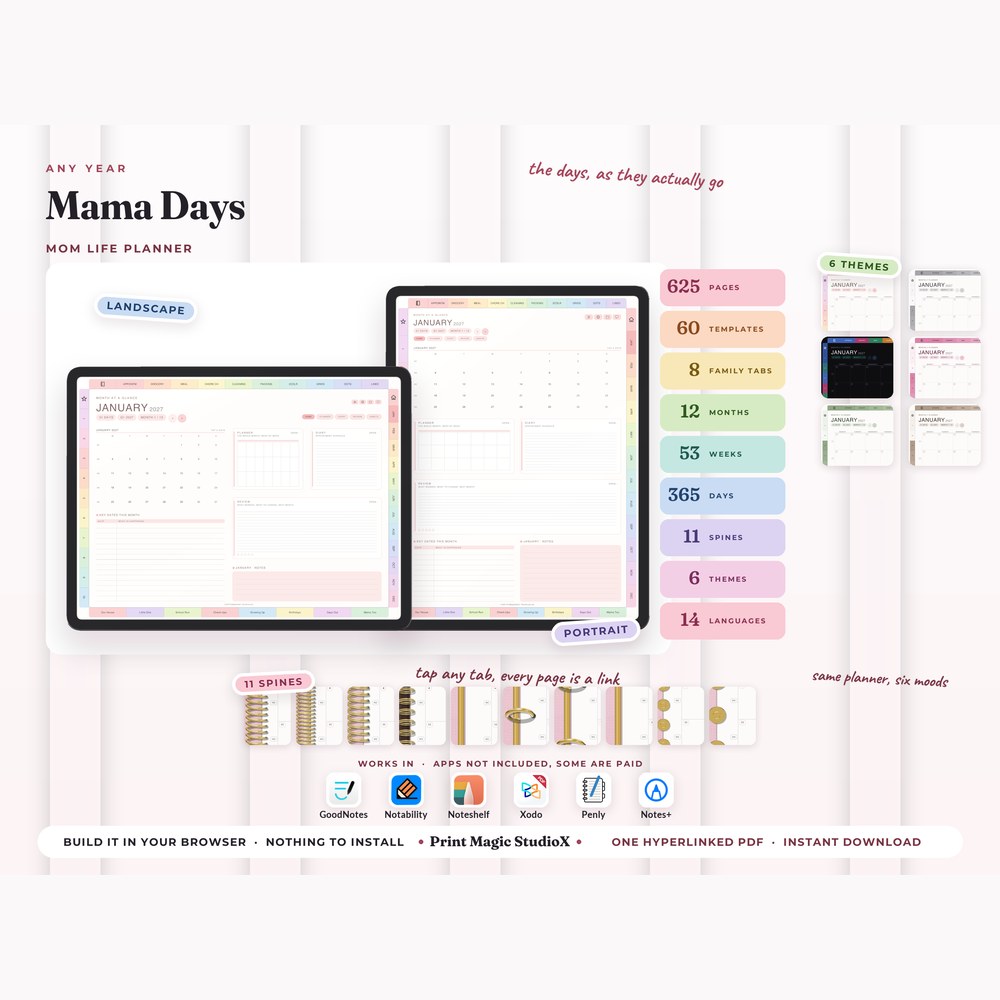
Mama Days
US$9.99US$7.99The house, the children & you · Any year · 60 templates · 14 languages
Built your wayDated 202714 languages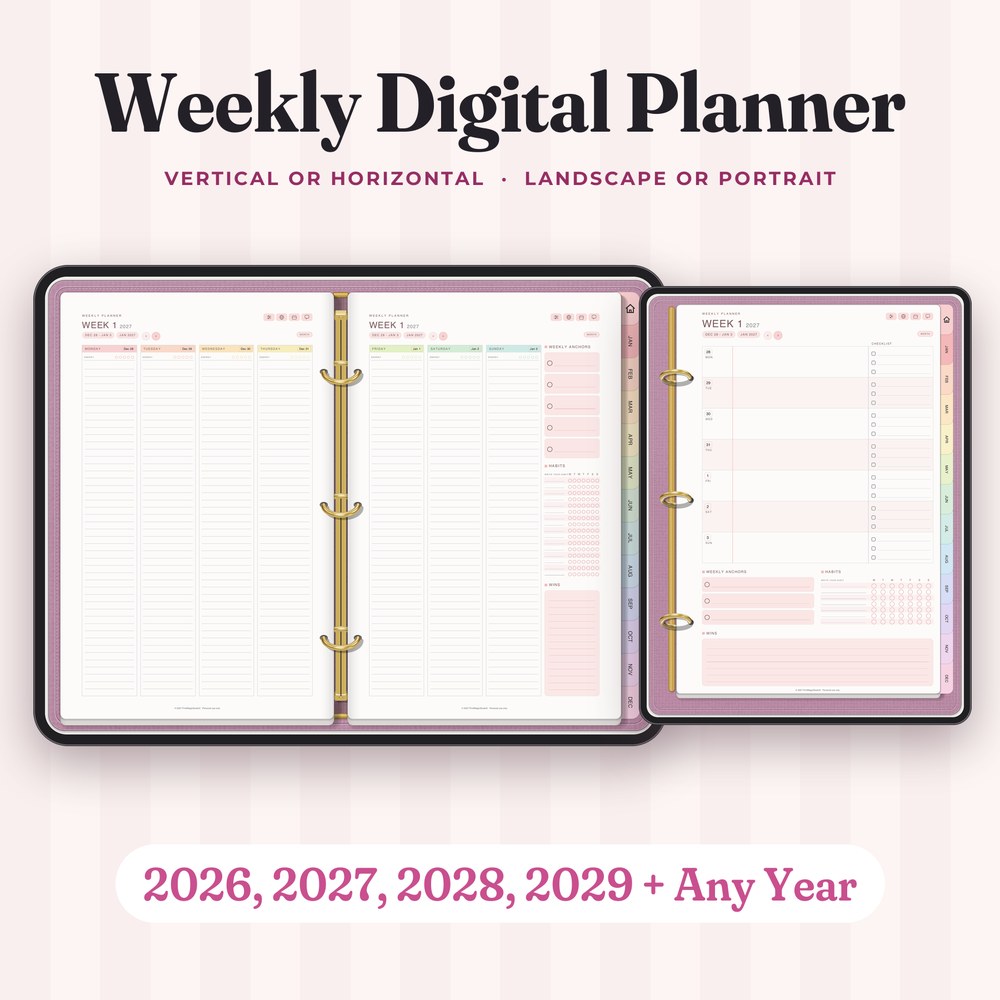
Weekly Digital Planner
US$3.33US$2.66Vertical or horizontal weeks · Any year or undated · 14 languages
Built your wayDated 202714 languages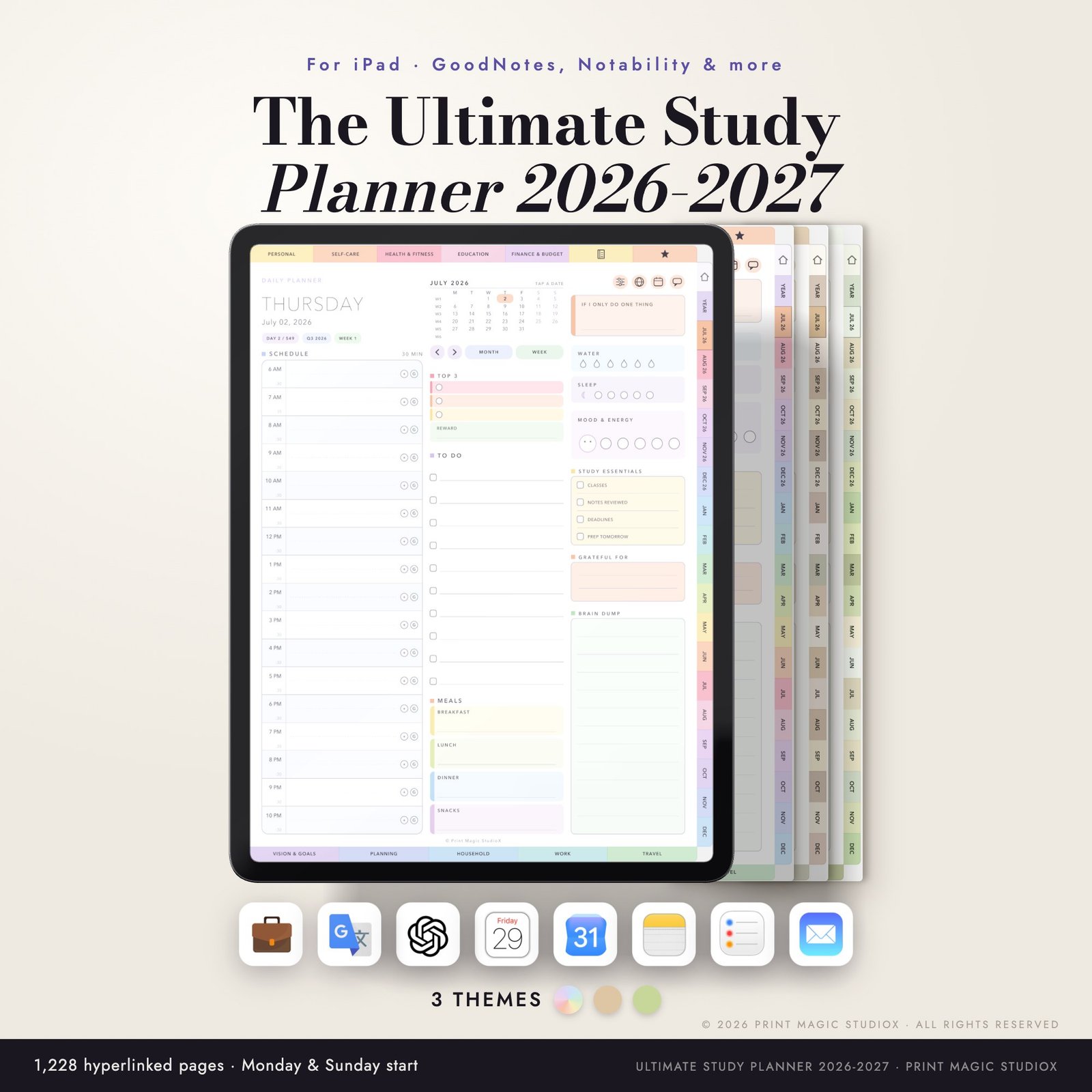
The Ultimate Study Planner 2026/27 (Portrait)
$20.00Eighteen months, July 2026 to December 2027: 1,228 hyperlinked pages, 146 templates and 80 paper styles, in three themes with both week starts.
From the shopPortraitJul 2026 – Dec 20276 filesOpens on our shop, shop.printmagicstudiox.com
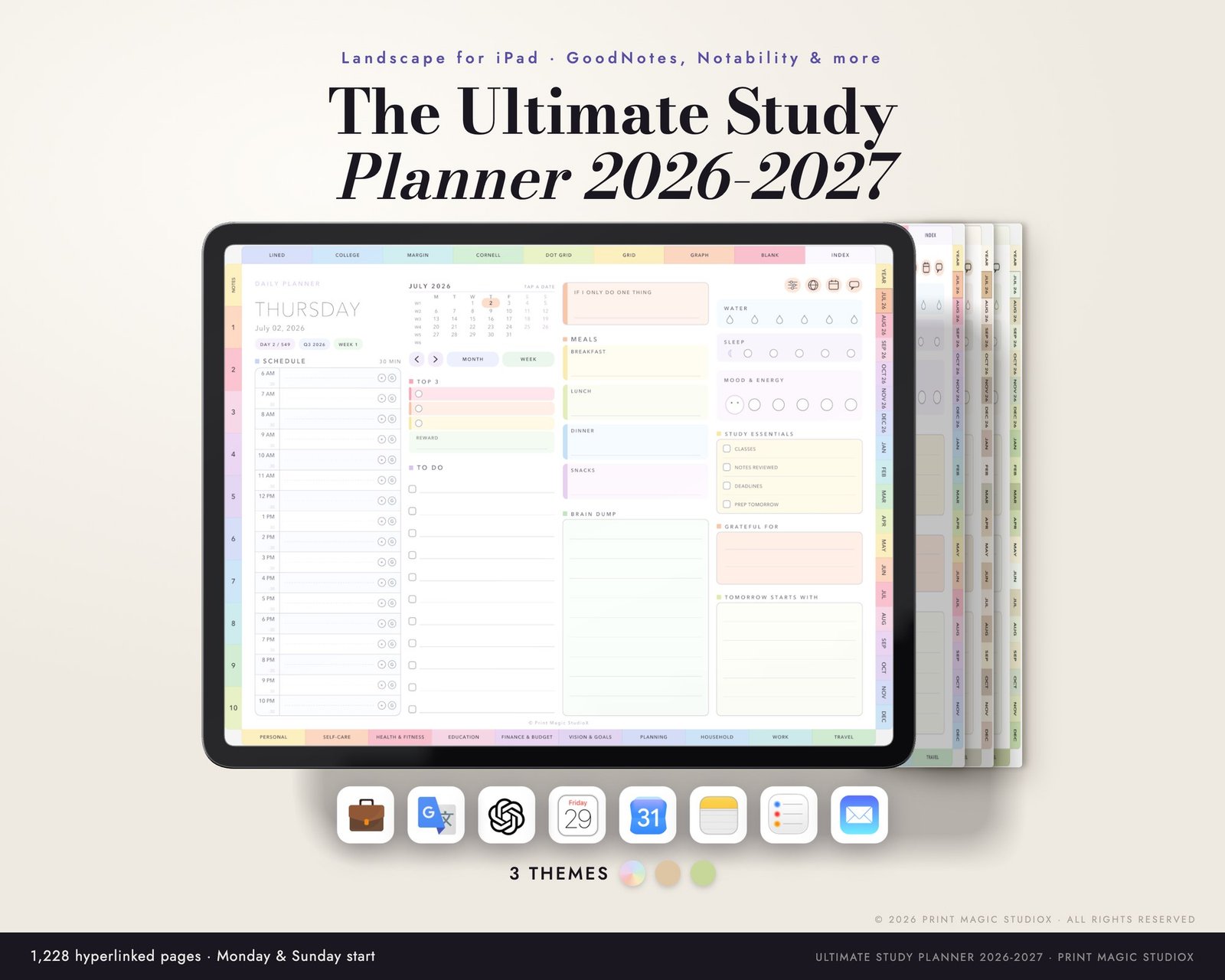
The Ultimate Study Planner 2026/27 (Landscape)
$20.00Eighteen months, July 2026 to December 2027: 1,228 hyperlinked pages, 146 templates and 80 paper styles, in three themes with both week starts.
From the shopLandscapeJul 2026 – Dec 20276 filesOpens on our shop, shop.printmagicstudiox.com
Built to order
Build your own 2027 planner
Start from a whole planner, dated 2027: change the start month, the layouts, the tabs and the colours, then try the free watermarked sample in your app. An All In One 2027 comes to 592 pages for US$6.49.
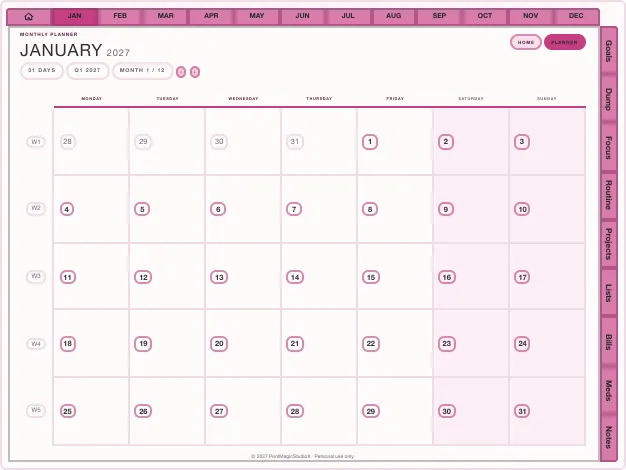
All In One 2027
US$6.49Every month, week and day, habits, a monthly budget and nine sections down the side.
Built in the studio592 pagesDated 2027Free sample first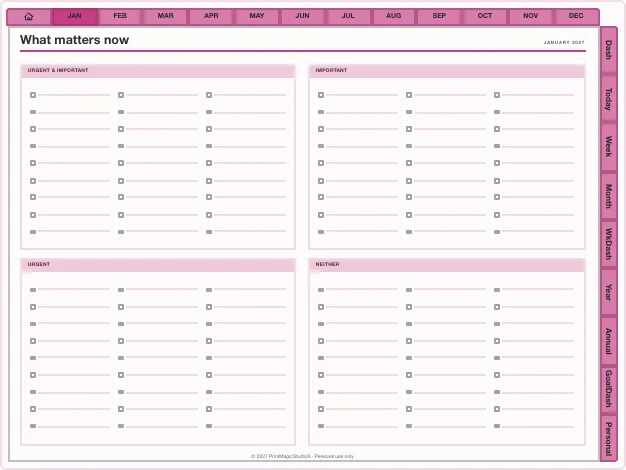
Productivity Planner 2027
US$8.99Nine tabs, 195 templates and 26 productivity methods over the dated year.
Built in the studio784 pagesDated 2027Free sample first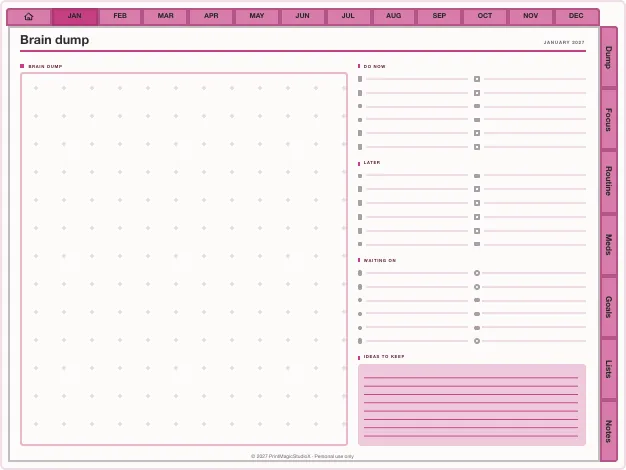
ADHD Planner 2027
US$6.49The dated year with every section one tap away down the edge of every page.
Built in the studio584 pagesDated 2027Free sample first
The 2027 calendar
How 2027 falls on the page
365 days
2027 is not a leap year. It begins on Friday, 1 January 2027 and ends on Friday, 31 December 2027.
Monday start
The first week of 2027 begins on Monday, 28 December 2026, and the weekend closes each week.
Sunday start
The first week begins on Sunday, 27 December 2026. Choose the start that matches the calendar you already use.
Every date is a link
Tap a date on a month and that day opens; tap a month tab and the month opens. The index lists every part of the year.
Landscape or portrait
The All-in-One and studio planners build either way round, so the page suits how you hold your tablet.
Your year, every year
An All-in-One order builds 2027, and the years after it, from the same order.
Not sure which start to pick? Monday or Sunday start: how to choose. Only want the dates? Download the free 2027 calendar, Monday or Sunday start.
Compatibility
Works with the app you already use
Write in it with
GoodNotes, Notability, Noteshelf, Xodo, Penly, any PDF annotation app.
On
An iPad with an Apple Pencil, an Android tablet with a stylus, or a computer. The reMarkable Paper Pro has its own edition.
Apple Reminders and Shortcuts links work on iPhone and iPad; Google Calendar links open in any browser.
How it works
Your 2027 planner in three steps
01
Pick your planner
Buy the All-in-One, or build a 2027 planner in the studio and try its free sample first.
02
Choose 2027
Pick the year, the start day and the way round. Every date is built for you.
03
Open it in GoodNotes
Import the PDF and start with January. How to use it in GoodNotes.
Questions
About 2027 planners
What does a 2027 digital planner include?
Every month of 2027 from January to December, with a weekly spread for each week and a page for each of its 365 days, all hyperlinked: tap a date on a month and that day opens. Ours add templates, note paper and tabs for your own sections on top.
Is the 2027 planner Monday or Sunday start?
Whichever you choose. The All-in-One and the studio ask before they build; the Ultimate Study Planner has both starts in its download.
Can I get a 2026–2027 planner that starts mid-year?
Yes. The Ultimate Study Planner runs eighteen months, from July 2026 to December 2027, and the studio can start a planner in any month and run it for up to 24 months.
Does the 2027 planner work in GoodNotes?
Yes. It is a hyperlinked PDF that opens in GoodNotes, Notability, Noteshelf, Xodo, Penly and any PDF annotation app, on an iPad or an Android tablet.
What happens when 2028 comes?
The All-in-One order builds the next year's edition too: come back, pick 2028, and build it the same way. The builder offers the current year and the four after it.
Is there a free 2027 digital planner?
A free 2027 calendar, yes: the year at a glance and two pages for every month, hyperlinked, Monday or Sunday start, with no email and no watermark. It is on our free templates page. The planners here add a page for every week and every day, templates and trackers.
When is the best time to start a 2027 planner?
Whenever you like: a dated planner is ready as soon as it downloads. Set it up in the last weeks of 2026 and the first week of 2027, which begins on Monday, 28 December 2026 in a Monday-start planner, is waiting when it arrives.
Shop by type
- Digital PlannersEvery hyperlinked planner we sell, for GoodNotes and iPadShop digital planners →
- ADHD Digital PlannerEvery section one tap away, brain dump to meds and moodShop ADHD planners →
- Student Digital PlannerAcademic year planners with assignments, exams and Cornell notesShop student planners →
- Productivity PlannerGoals, projects, time blocks and 26 productivity methodsShop productivity planners →
- Budget PlannerMonthly budgets, bills, debt payoff and savings trackersShop budget planners →
- GoodNotes TemplatesPlanner layouts, single pages and note paperBrowse GoodNotes templates →
- Digital StickersPNG sticker and clipart packs for your planner pagesShop digital stickers →
- Free TemplatesClean, unwatermarked pages to download and keepGet the free templates →
Guides
- GuideMonday or Sunday start planner: which week should you choose?What actually changes on the page, and a simple way to decide.
- GuideHow to use Apple Calendar and Google Calendar with a digital plannerA PDF cannot sync, but it can hand off: Reminders, Google Calendar and Shortcuts from the page.
- GuideHow digital planner hyperlinks work, and how to tap them in GoodNotesWhy a tap sometimes writes instead of jumping, and the one setting that fixes it.