Free to download
Free 2027 digital calendar
The whole of 2027 at a glance, then every month twice: a month at a glance and a full calendar, every tab and month name a link. For GoodNotes, Notability and any app that writes on a PDF. No watermark, no email address, no account.
- 26 pages
- Dated January to December 2027
- Monday or Sunday start
- Hyperlinked
- No email needed
Yours to keep ✿
Inside
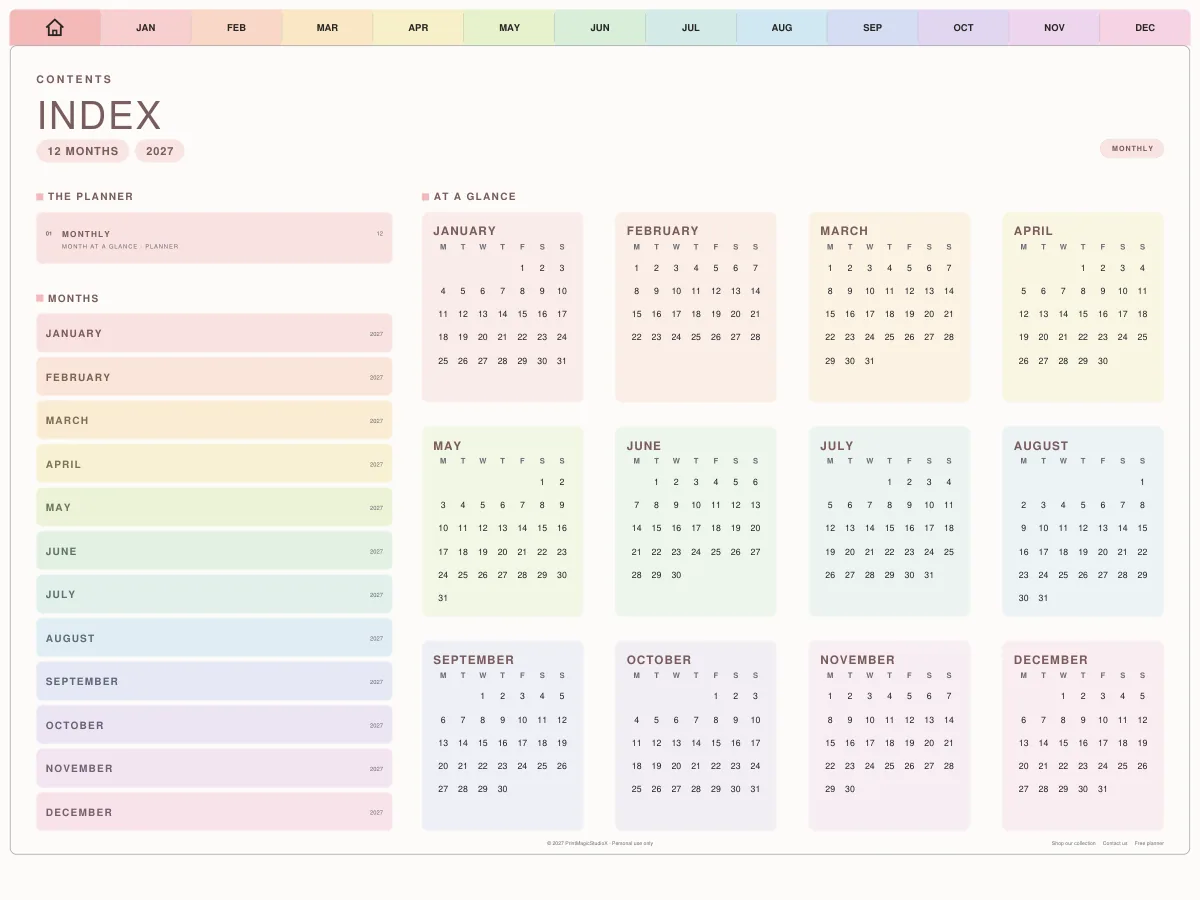
The year, then every month twice
26 pages: the cover, the year at a glance, and two pages for each month of 2027.
Page 2
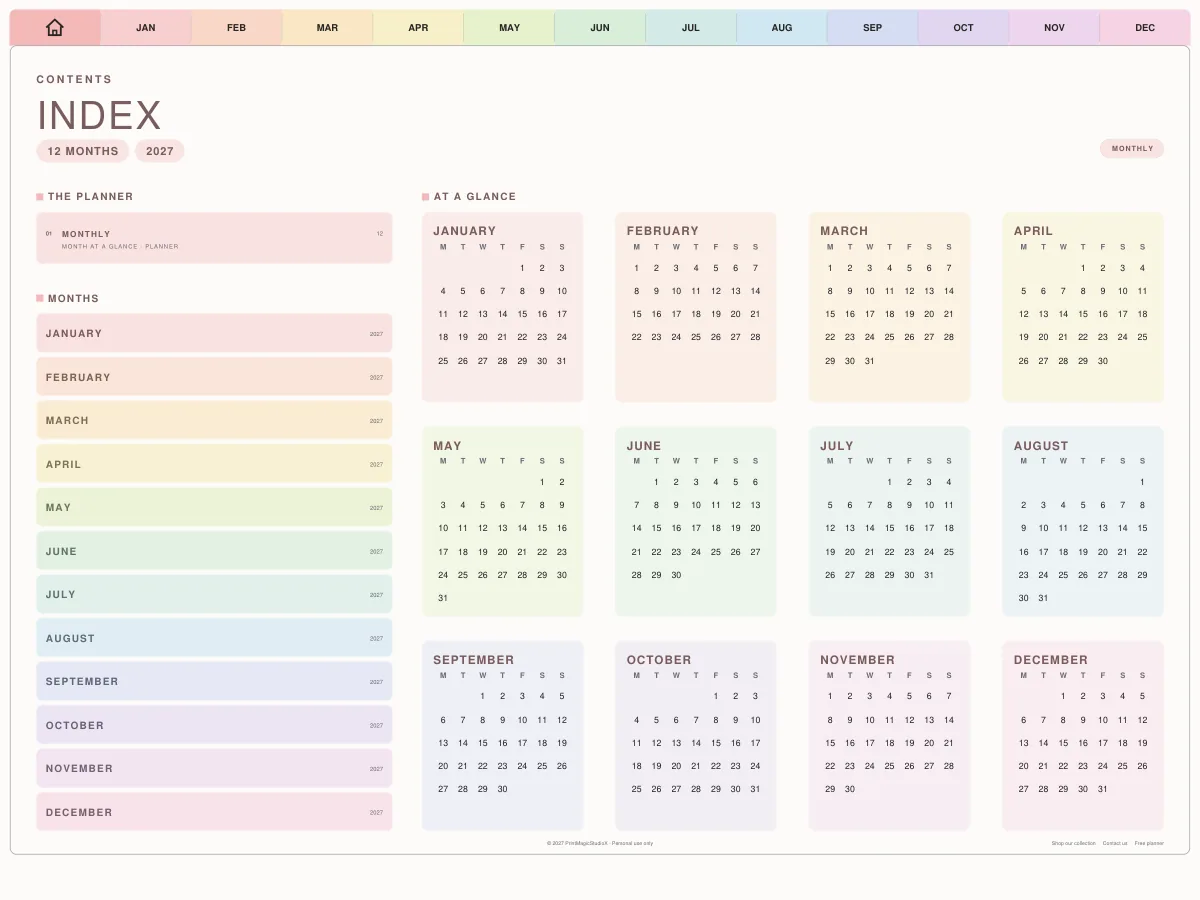
The year at a glance
Twelve small calendars of 2027 on the index, each month's name a link.
Page 3
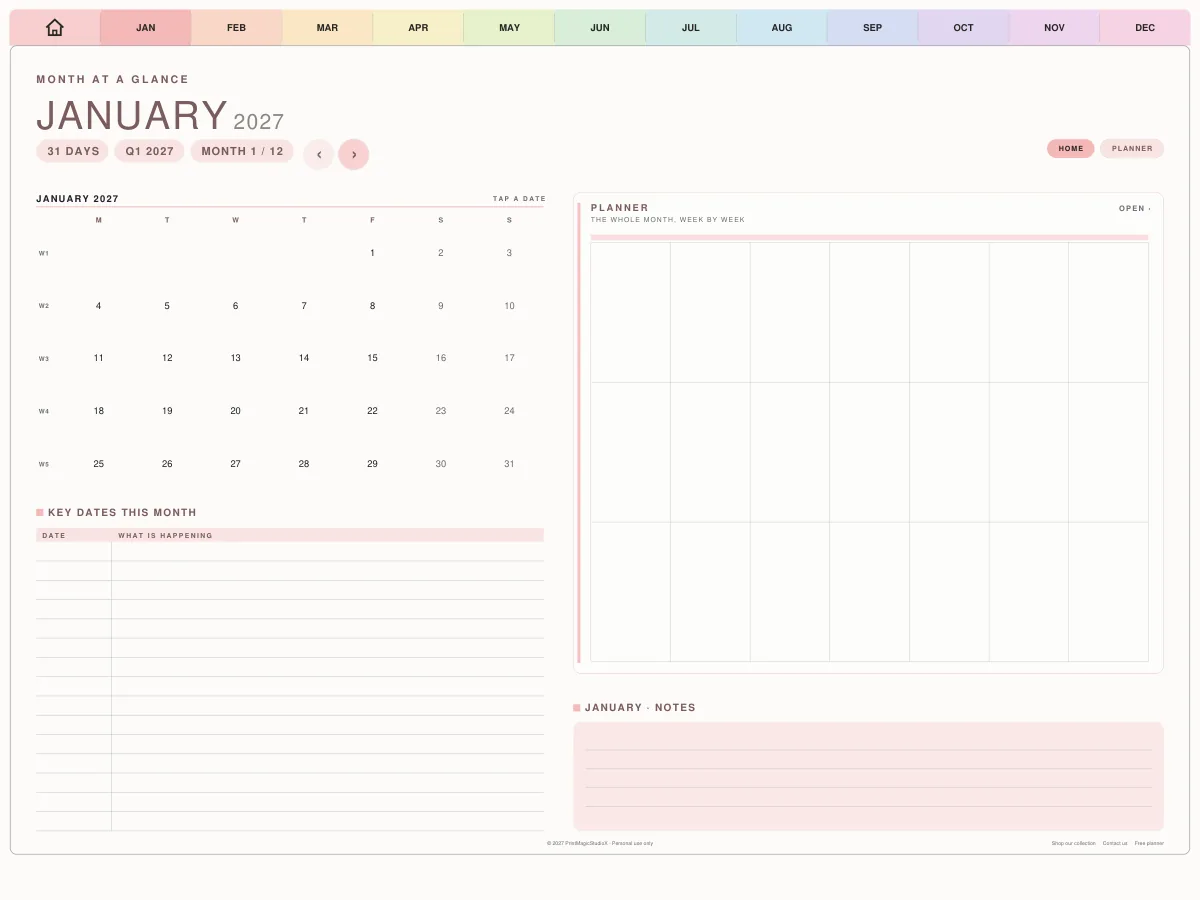
Month at a glance
A small calendar, key dates, the month week by week, and notes.
Page 4
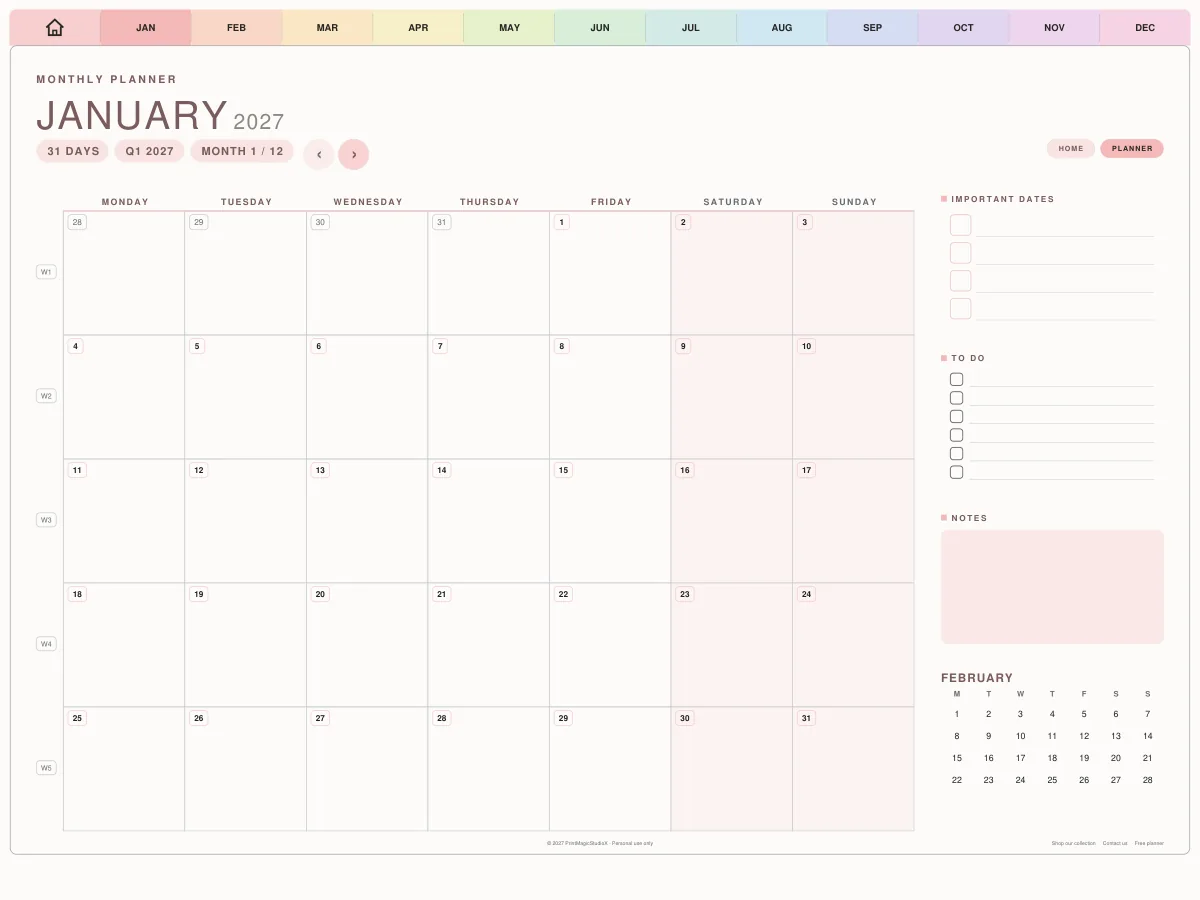
The month's calendar
A square for every day, important dates, a to-do list and notes.
What it is for
A dated 2027, a tap from any month
A dated year, January to December 2027, for GoodNotes and any app that writes on a PDF. The index is the year at a glance: twelve small calendars, each month's name opening that month, beside a list of the months. Every month then has two pages. The month at a glance holds a small calendar, the key dates for the month, a planner box for the month week by week, and room for notes; the full calendar gives every day a square, with important dates, a to-do list, notes and the next month beside it. A tab for each month runs along the top of every page and a house tab returns to the index, so nothing is more than a tap away. Choose the Monday or the Sunday edition; the dates are the same, the weeks start where you are used to them starting.
How to use it
- 1.Download the edition whose week starts where yours does: Monday or Sunday.
- 2.Open the PDF in GoodNotes and import it as a new notebook. The links work in GoodNotes, Notability and most PDF apps.
- 3.Start on the index: tap a month's name, or its tab along the top, to open it. The house tab brings you back.
- 4.Put birthdays, bills and plans in each month's important dates, and the month's own days on its calendar.
- 5.Keep the month at a glance for the shape of the month: what is coming, what each week is for, and notes.
Questions
About the free 2027 calendar
Is the 2027 calendar really free?
Yes. It downloads as a plain PDF with no watermark, no email address and no account, and it is yours to keep.
Monday or Sunday start?
Both are here. The dates are the same in each; only the first column of every calendar changes. Most of the United States starts its week on Sunday, and most of the rest of the world on Monday.
Do the links work in GoodNotes?
Yes. Each month's tab along the top, each month's name on the index and the house tab all open their page in GoodNotes, Notability and most apps that open a PDF. In GoodNotes, tap them with your finger while the Apple Pencil writes, or switch to Read Only mode.
Does it have weekly or daily pages?
No. It is a calendar: the year at a glance and two pages a month. The All-in-One Digital Planner adds a page for every week and every day, every date on its calendars a link to its day.
What can I do with it?
Use it yourself, on as many of your own devices as you like, and print it. You cannot sell it or give it away as your own: every page carries a 'Personal use only' line in its footer.
Can I print it?
Yes. Its pages are a landscape tablet sheet (1024 × 768pt) rather than A4 or Letter, so print it scaled to fit your sheet.
Shop by type
- Digital PlannersEvery hyperlinked planner we sell, for GoodNotes and iPadShop digital planners →
- 2027 Digital PlannerDated January to December 2027, Monday or Sunday startShop 2027 planners →
- ADHD Digital PlannerEvery section one tap away, brain dump to meds and moodShop ADHD planners →
- Student Digital PlannerAcademic year planners with assignments, exams and Cornell notesShop student planners →
- Productivity PlannerGoals, projects, time blocks and 26 productivity methodsShop productivity planners →
- Budget PlannerMonthly budgets, bills, debt payoff and savings trackersShop budget planners →
- GoodNotes TemplatesPlanner layouts, single pages and note paperBrowse GoodNotes templates →
- Digital StickersPNG sticker and clipart packs for your planner pagesShop digital stickers →
Guides
- GuideMonday or Sunday start planner: which week should you choose?What actually changes on the page, and a simple way to decide.
- GuideHow digital planner hyperlinks work, and how to tap them in GoodNotesWhy a tap sometimes writes instead of jumping, and the one setting that fixes it.
- GuideDigital planner vs paper planner: which one suits you?An honest comparison: cost, carrying, finding pages, backups and the feel of paper.